
WebGPU and WebGL are standard technologies for using the GPU from a web browser. WebGPU is newer and is positioned as the successor to WebGL. They support 3D rendering as well as demanding 2D effects, image processing, simulations, and other compute-heavy tasks.
GPU-powered web graphics are useful for developing content such as the following.
- Displaying 3D models
- Game content
- Data visualization
- Creative coding
- Simulation effects such as fluids and particles
- Visually rich screen effects, such as those used on advertising websites
Until around the 2010s, advanced 3D graphics in the browser generally required browser plug-ins such as Flash Player or Unity Web Player. Today, WebGPU and WebGL make it possible to create graphics close to native apps using only the browser.
This article is for beginners who want to get started with WebGPU and WebGL. It includes many original WebGPU and WebGL HTML demos that can be tried in a few seconds. All of them also work in mobile browsers. After experiencing what WebGPU and WebGL can do, the article introduces ways to continue learning.
Fireworks
This example uses the Three.js WebGPU renderer to depict fireworks from launch and explosion through lingering sparks and smoke. Drag to change the viewing angle.
Blazing fire
This WebGL example renders blazing fire. Drag to change the viewing angle. The demo shows the impact of GPU-powered particle effects.
3D game effect
This sample uses WebGPU to create a rich 3D effect resembling a special attack or aura.
The core implementation ideas are explained in the article “Three.js magma effect techniques for game visuals”.
Cover Flow UI
This example recreates the Cover Flow interface once used in macOS and iTunes using the Three.js WebGPU renderer. By moving the slider at the bottom of the screen, you can slide the photos left and right while tilting them in 3D space.
This example uses Three.js, a JavaScript library for 3D graphics. For details, see the article “Three.jsで作る3DのカバーフローUI”.
2D fluid simulation
The GPU is useful not only for 3D graphics, but also for 2D effects and computation. This demo uses the Three.js WebGPU renderer and TSL, or Three.js Shading Language. Drag with a mouse or use touch input to change the motion.
Values such as velocity and pressure are assigned to each pixel on the screen and calculated in parallel on the GPU. For details, see the article “Three.js(WebGPU)で実現するStable Fluids - 2Dの流体シミュレーション”.
Lens flare effect
Lens flare is a visual phenomenon that appears when a light source enters the camera lens directly. It is a familiar effect in film and games, and it can also be recreated with the Three.js WebGPU renderer.
Drag the mouse to move the viewpoint. The appearance of the lens flare changes based on the positions of the light source and camera. For details, see the article “Lens flare effects in Three.js”.
Satellite orbit visualization
This example comes from the article “WebGPU・WebGL開発に役立つ三角関数の数式・概念まとめ (Three.js編)”, which explains how to implement satellite orbits. You can rotate the angle by touching or dragging.
This technique could be useful when visualizing global-scale data in 3D, such as flight routes or import and export data.
WebGPU and WebGL are also useful for 2D graphics
WebGPU and WebGL are not only for 3D graphics. The next demo is a 2D physics simulation built with fast GPU-based rendering.
This example uses PixiJS, a JavaScript library that can use the GPU for 2D rendering. You can see the benefits of the GPU when rendering large numbers of objects in demanding scenes. This demo accompanies the article “LiquidFunを使った物理演算入門”.
Use in 3D game graphics
In a game project that our company helped develop, the fighter aircraft battle screen was implemented with WebGL.

Supported browsers
WebGPU is available in Chrome 113 (May 2023), Edge 113 (May 2023), and later releases of both browsers. It is also available in Firefox 141 (July 2025), Safari 26.0 (September 2025), and later releases.
Reference: Can I use… WebGPU
WebGL has been widely supported by browsers since around 2011. WebGL 2.0 also works reliably in current browsers.
How to learn WebGPU and WebGL
Using WebGPU or WebGL directly requires knowledge of rendering pipelines, shaders, buffers, textures, and related concepts. If the goal is to create rich 3D graphics, the standard path is to start with the JavaScript library Three.js.
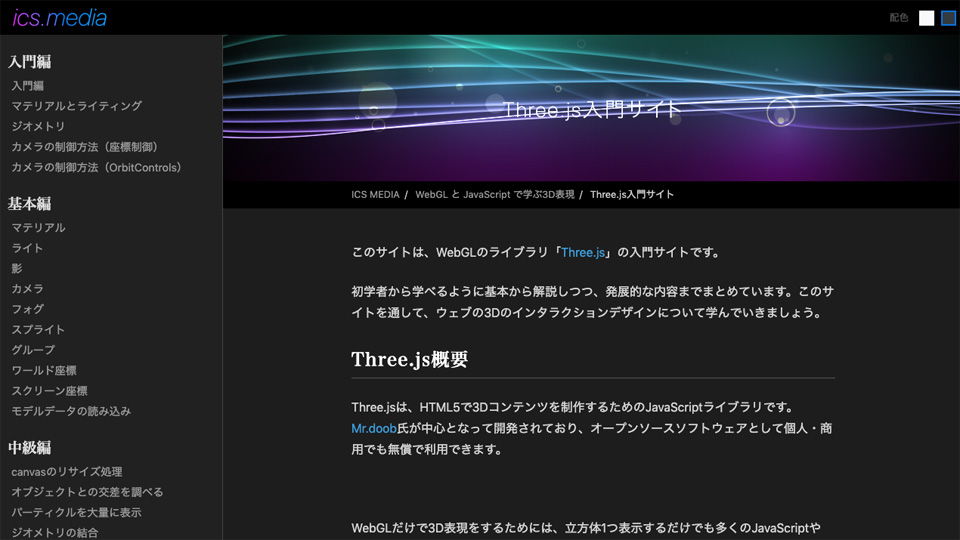
Three.js can create 3D graphics with a small amount of code, making it suitable for beginners. At the same time, it is not only for learning. Three.js is also used in professional production environments.
Conclusion
WebGPU will likely be used more often in web graphics going forward.
Both WebGPU and WebGL are important technologies for creating advanced 3D graphics and 2D effects in the browser. Start by trying the demos and experiencing what GPU-powered web graphics can do.
The author’s demo site, ClockMaker Labs, also includes many WebGPU and WebGL examples.